


Tasks from text
Write “- [ ] call the supplier” in a note and it becomes a real task, with its date, priority and the person it belongs to. Every one you have ever written, in one place.

Your meetings write themselves up and your notes file themselves, in plain Markdown that stays on your Mac.
Early access for Mac is rolling out now. No spam, just a launch note.
Walk out of the meeting with the note already written, in a file you own.

* The demo above is an interactive showcase. The real thing looks even better.
Type the way you think and the note sorts out its own folder, tags and people as it goes. Meetings arrive already titled from your calendar. Underneath, it is still one plain .md file you can open in anything, or take somewhere else entirely.
Rollout starts next week. Filing this one properly:
- type · @person · : folder · # tagEvery - [ ] you have ever typed, gathered into one list without you copying a thing. Tick it here and the note it came from is ticked too, so there is no second app to keep fed and nothing to fall out of step.
Give the room your full attention. MindLake records the call, works out who said what, and hands you a note you can actually act on, with the audio and every word of it staying on your Mac. Drop in a podcast, an interview or an old voice memo and it does the same.
No copy-pasting transcripts between apps. Record, and the transcript, the summary and the action items land in your vault seconds later.
Step 01
Start from the menu bar, a keystroke, or drop in an audio or video file you already have. A floating HUD shows a live level meter and timer.
Step 02
NVIDIA Parakeet on the Neural Engine: word-level timestamps, 25+ languages, and speakers separated automatically.
Step 03
An on-device summary with topics, decisions and action items, written to plain Markdown you own.
The note for your ten o’clock is waiting at ten o’clock, titled, dated and carrying everyone who was invited. You start typing into it instead of setting it up.
Jul 23 · Today · Thursday
Nothing scheduled.
Jul 24 · Tomorrow · Friday
Jul 25 · Saturday
Open anyone in your address book and read back every meeting, note and promise they appear in. No CRM to keep up to date: it builds itself out of the notes you were writing anyway.
Nine more things you would otherwise keep in five apps, all reading and writing the same Markdown files, so nothing has to be kept in sync by hand.
Write “- [ ] call the supplier” in a note and it becomes a real task, with its date, priority and the person it belongs to. Every one you have ever written, in one place.
Six months of meetings stop being a folder and start being a map. Notes pull together around the people, tags and projects they share, so you can see what you have been circling.
The people on your Mac already, now attached to everything they have ever said to you. It is also how a voice in a recording gets a real name.
Find the sentence you half remember, across every note and every transcript, before you have finished typing it. Asking your vault a real question is coming.
Keep a table without leaving your notes, and open the same thing in Numbers or Excel tomorrow. It is a CSV sitting in your folder, so it goes wherever you do.
That interview on your phone, the webinar recording, a voice memo from the car. Drop it in, or send it over from the macOS share menu, and get a note back.
Make it read the way you like: the fonts, the size, the line height, the width of the column. It changes under your cursor as you tune it.
Decide how long a recording of other people lives on your disk. Keep it, bin it the moment it is transcribed, or give it a week. Per note, or as a rule.
Delete MindLake tomorrow and you still have everything: one Markdown file per note, in a folder you picked, on a Mac you own. No export, no goodbye email.
Local first, and local is enough. Summaries, titles and action items come from a model running on your Mac, with no key, no network and nothing to leak. It is also compatible with all the cloud models.
Recordings and imports are transcribed on your Mac. Nothing is uploaded.
Record, transcribe, summarise and search with the Wi-Fi switched off.
Parakeet runs on the Neural Engine. No server, no API call, no queue.
Every note is a .md file in a folder you choose. Tables are CSV.
Nothing to sign up for. Any AI keys stay in the macOS Keychain.
Publish a single note and lock it behind its own password.
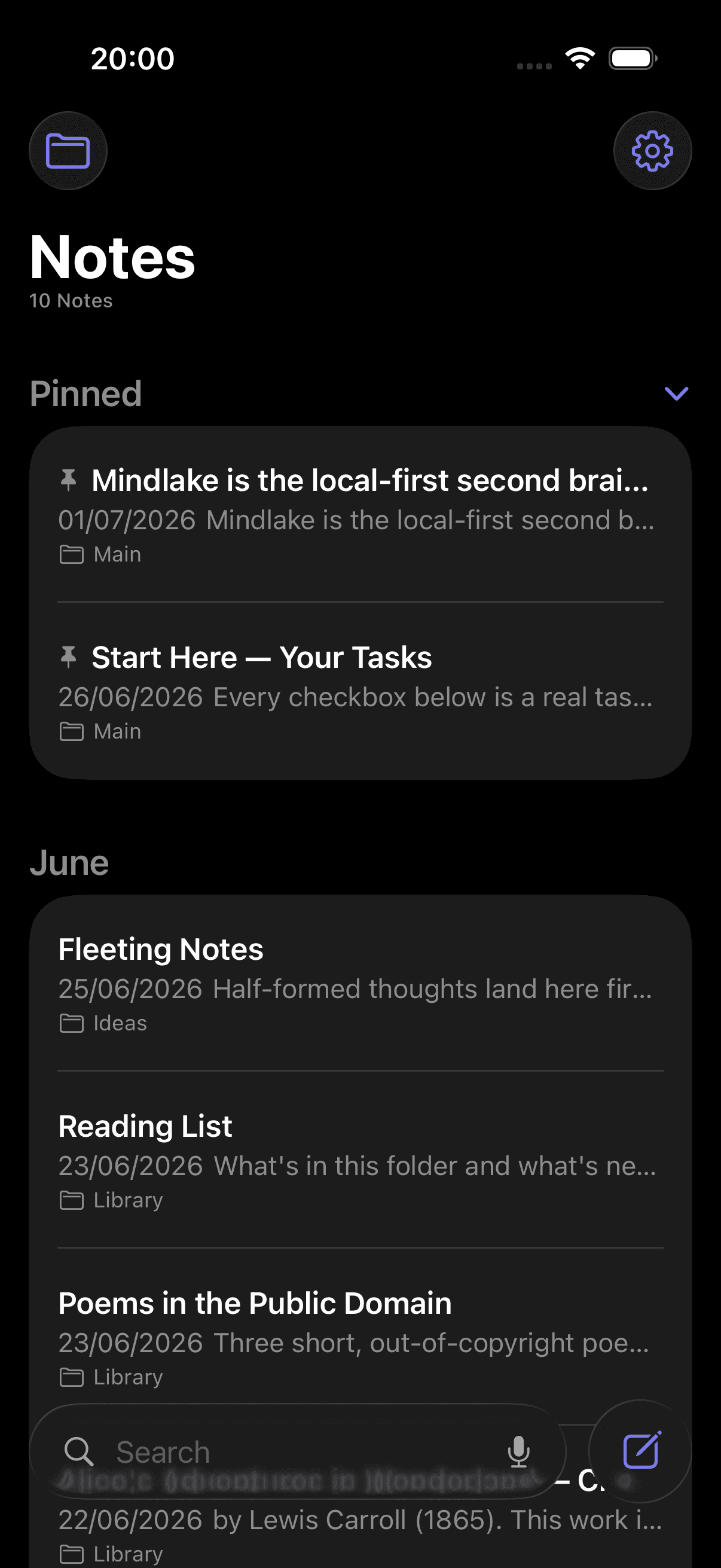
Catch the thought in the corridor, find it written up on the Mac when you sit down. It travels over your own iCloud, so there is no account of ours in the middle and nothing of yours on our servers.
Native for macOS 15+
A real Mac app, not a website in a window. It opens instantly and works entirely from the keyboard.
iPhone companion
Record and review on the go. Full parity is on the way.
Your iCloud, your sync
Notes move between devices over iCloud Drive, with no MindLake account required.
If your work happens in meetings, calls and interviews, and the details matter, MindLake is for you.
Every pitch, standup and investor call filed and searchable, so you never repeat yourself in the next room.
Client calls captured, summarised and billable, with the context that outlives the engagement.
1:1s and standups turn into decisions and action items, no notebook required.
Confidential conversations transcribed on-device. Nothing leaves your machine, by design.
Discovery and renewal calls become searchable records, with commitments tracked as tasks.
Field interviews arrive timestamped and speaker-attributed, ready to code and quote.
Every source on tape, cleanly transcribed, quotes you can trust before the deadline.
Session notes that stay private, local-first, in a vault only you can open.
Client sessions in one place, with follow-ups and homework tracked between them.
The full capture-and-notes experience is free and on-device. Join the waitlist. Early supporters get a founder rate on Pro.
No. Recording, transcription, speaker separation and summaries all run on your Mac using the Apple Neural Engine. Audio and transcripts never leave your machine unless you explicitly connect a cloud AI and run it on a note.
No. The full workflow (record, transcribe, summarise, edit, search) works completely offline. Cloud AI providers are optional and opt-in per action.
The Mac app is free, including on-device transcription and summaries. A paid Pro tier (for publishing notes to the web and, later, hosted sync) is coming, and waitlist members get a founder rate.
On-device Apple Foundation Models by default. No key, no network. You can optionally connect Claude, OpenAI or a local Ollama model with your own key or login when you want more capable summaries and vault-wide answers.
Plain Markdown with YAML frontmatter, one file per note, alongside the audio and any CSV tables, in a folder you choose. If you ever stop using MindLake, your notes are still just files you can open anywhere.
A Mac on Apple Silicon running macOS 15 or later. An iPhone companion app handles capture and review on the go, syncing through your own iCloud.
Transcription covers English plus 25 European languages out of the box, with broader coverage planned via additional on-device models.
Yes. That’s where mindlake.app comes in. You’ll be able to publish any single note to a clean web page, optionally protected with its own password, straight from the app.
A second brain that is also a full productivity suite. Capture everything you see and hear, arrive as the most prepared person in the room, and keep every word private by default. Free for Mac, nothing to sign up for, plain Markdown files you own.